Tips for Creating a Comfortable and Productive Home Office Space
Creating a dedicated and inviting home office space can make a big difference in how comfortably and effectively you work. Whether you’re working remotely full-time or just need a quiet corner for occasional tasks, a well-planned office at home helps separate work from leisure, keeps distractions minimal, and encourages focus.
Here are some helpful tips to turn your space into a home office that balances comfort and productivity.
Choose the Right Location
The first step is choosing the best spot for your home office. Ideally, this should be a quiet area with minimal foot traffic to reduce interruptions.
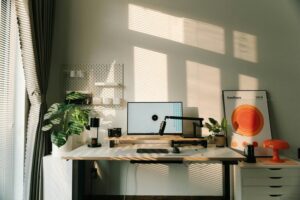
– Consider natural light: Position your desk near a window if possible. Natural light can improve your mood and energy.
– Avoid distractions: Try to pick a room or corner away from noisy appliances, TVs, or busy household areas.
– Space matters: Ensure there’s enough room for your desk, chair, and any additional equipment or storage you need.
Invest in Ergonomic Furniture
Comfort is essential since you may be spending several hours sitting and working.
– Ergonomic chair: Choose a chair with adjustable height, lumbar support, and good cushioning to maintain good posture.
– Desk height: Make sure your desk is the right height to allow your arms to rest comfortably while typing.
– Keyboard and mouse placement: Keep these at a height where your wrists are straight and not strained.
Optimize Lighting
Proper lighting reduces eye strain and keeps you alert during work hours.
– Layer lighting: Combine natural light with overhead lights and a task lamp to brighten your workspace evenly.
– Avoid glare: Position your computer screen perpendicular to windows or use curtains/blinds to prevent glare.
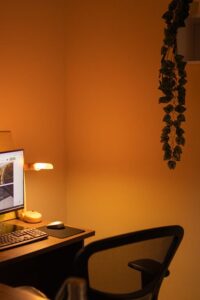
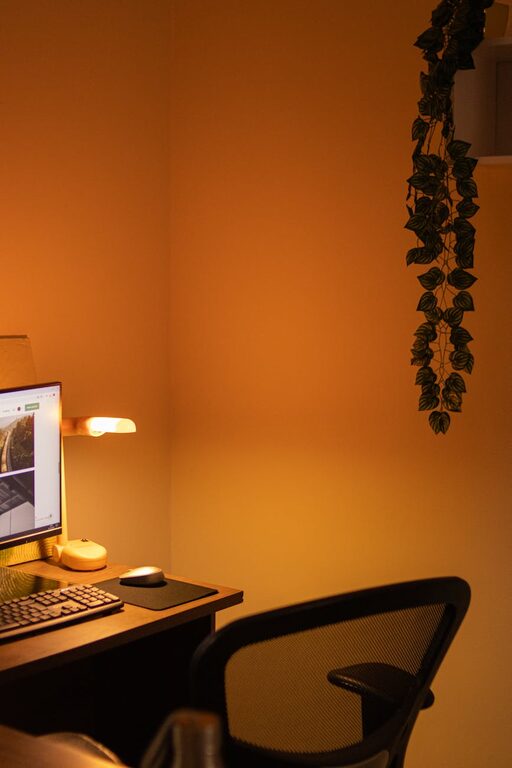
– Use warm bulbs: For task lighting, warm white bulbs are usually easier on the eyes.
Organize Your Space
A clutter-free environment promotes focus and efficiency.
– Storage solutions: Utilize shelves, filing cabinets, or drawer organizers to keep documents and supplies neat.
– Cable management: Use clips, sleeves, or boxes to keep cords untangled and out of sight.
– Minimal décor: Decorate with a few inspiring items or plants to keep the space pleasant but not overwhelming.
Establish Boundaries
Working from home can blur the line between work and personal life.
– Dedicated work hours: Set clear start and finish times to help maintain work-life balance.
– Signage: Consider a small sign or signal to family members or housemates that you are in work mode and prefer not to be disturbed.
– Break area: If possible, separate your workspace from the area where you relax to mentally switch off after work.
Use Technology Wisely
Equip your office with reliable technology to keep your workflow smooth.
– Good internet connection: Ensure your Wi-Fi is strong or consider a wired connection for stability.
– Headphones: Noise-cancelling headphones can help minimize distractions during calls or focus time.
– Backup solutions: Use cloud storage or external drives to save your work regularly.
Personalize Your Workspace
Adding personal touches can make your office more inviting and motivate you to spend time there.
– Photos or artwork: Display meaningful images or art that inspires you.
– Plants: Adding greenery can improve air quality and bring a refreshing feel to your space.
– Comfort items: A cozy throw or a comfortable cushion can enhance your seating experience.
Take Regular Breaks
Finally, remember that productivity includes rest.
– Follow a schedule: Use techniques like the Pomodoro method (25 minutes of work followed by 5-minute breaks) to keep energy levels stable.
– Stretch and move: Stand up, stretch, or take a short walk every hour to avoid stiffness and eye fatigue.
– Stay hydrated and snack smart: Keep water nearby and choose healthy snacks to maintain focus.
—
Final Thoughts
Creating a comfortable and productive home office is about balancing functionality with a pleasant environment. By considering location, furniture, lighting, organization, boundaries, technology, personalization, and healthy habits, you can design a workspace that supports your best work and well-being. Take time to evaluate what works for you and adjust your setup as needed to maintain motivation and effectiveness in your home office.